


OBD2 Car Scanner - ELM Torque
4.6155.00 Reviews
App Specs
- Version
- 2.1.0
- Updated On
- License
- Free
- Downloads
- 1,000,000+
- Developer
- Cards
- Categories
- Auto & Vehicles
- Platform
- Android, iOS
Screenshots
 Analysis by AppCompare
When a warning light appears, I want more than a vague reason to worry: I want a useful clue I can take into the next decision. That is where OBD2 Car Scanner - ELM Torque aims to help. It is an automotive diagnostic app from Cards, built around reading information from a car through an OBD2 adapter. I see its strongest appeal in making vehicle data easier to inspect, rather than asking a driver to guess what a dashboard light means.
What an OBD2 reader changes
An OBD2 app is not a replacement for a mechanic or a repair manual. Its practical role is to turn information available through a compatible vehicle connection into something a driver can review. That can help you arrive at a workshop with a clearer description of the problem, or decide whether an issue needs prompt attention. The app’s code-reading and code-clearing capability is central to that role.
The distinction matters: a diagnostic trouble code is a lead, not a complete diagnosis. Several underlying causes can produce similar symptoms, and clearing a code does not repair the fault that triggered it. I would use the explanation as a starting point, note what the car is doing, and avoid treating a cleared warning as proof that the vehicle is fixed.
A useful routine when a warning appears
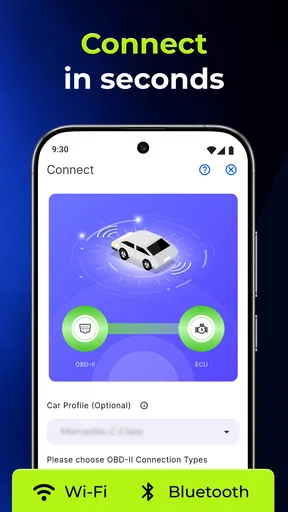
In practice, the first step is having an OBD2 adapter that works with the app and your vehicle. You plug it into the car, connect it to your phone over Bluetooth, then use the app to inspect the available information. The connection is simple in principle, but the adapter is a separate piece of equipment, so this is not a phone-only diagnostic tool.
If a warning light comes on during an ordinary week, I’d pull over somewhere safe before using the phone, connect the adapter while parked, and read the code when it is sensible to do so. I’d write down the code and any symptoms—such as unusual noises or changes in how the car behaves—before discussing it with a repair professional. That small record can make a conversation more focused than saying only that a light appeared.
Why the dashboard can be more than decoration
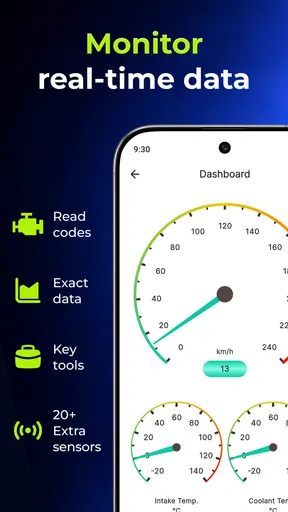
The customizable dashboard gives the app a second use beyond checking a warning. You can choose vehicle readings that matter to you, with examples including RPM, fuel consumption, and coolant temperature. I like that approach because a display is most useful when it answers a question you actually have; filling it with every available number can make it harder to spot the one that matters.
For instance, a driver interested in coolant temperature can keep that reading visible during a normal trip rather than repeatedly digging through menus. The real benefit is awareness, not a promise that the app will predict every mechanical failure. I’d check readings while parked or let a passenger handle the screen, since watching a phone while driving is a poor trade for any diagnostic insight.
Worth Reading Before You Choose

Switching to Android Auto Means Rethinking Your Driving Routine

Google Calendar Makes a Crowded Week Easier to Manage

Baby Panda World Brings Quick Play to Modern Phones, but Its Game Library Feels Busy

ESPN’s Live Game View Makes Following Close Games Easier

QuizzLand Review: A Good Fit for Short Trivia Breaks, Not Every Player

Basketball Stars: Multiplayer Is Fast, but Can It Recover When Matches Go Wrong?
Where it fits among other options
Compared with relying only on a car’s dashboard, an OBD2 reader can offer more detail and a way to look up a trouble code before deciding what to do next. Compared with a workshop’s diagnostic equipment, a phone app and adapter are a more accessible way to inspect some information, but they do not provide the same hands-on expertise or repair work. I’d treat this as a useful middle step between a warning light and a professional assessment, not as a substitute for either.
It also suits a different purpose from general car-maintenance reminders. Its strength is vehicle information and diagnostics rather than simply keeping a calendar of services. If you mainly want reminders, a basic maintenance tracker may be easier; if you want to understand what the car is reporting, a scanner app is the more relevant kind of tool.
Getting Started with ELM Torque
So, first things first, you’ll need an OBD2 adapter to pair with the OBD2 Car Scanner - ELM Torque. It’s pretty straightforward – just plug the adapter into your car, connect it to your phone via Bluetooth, and voilà, you’re ready to roll. The app is available on both Android and iOS, which is a huge plus for accessibility.
Interface and Usability
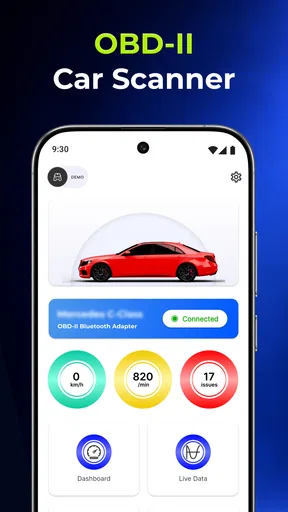
The interface is where the app shines. It’s intuitive and user-friendly, even if you’re not a car tech guru. The dashboard is customizable, so you can tweak it to show the data that’s most important to you. Fancy seeing real-time data on your car's RPM, fuel consumption, or coolant temperature? You got it!
It’s all laid out in a way that makes sense, and you won’t find yourself lost in a sea of technical jargon. The visual gauges are a neat touch, bringing a bit of that racing game feel to your real-life ride.
Features that Stand Out
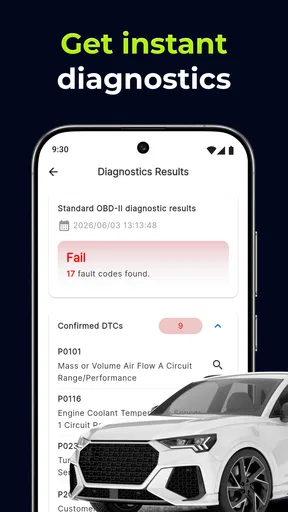
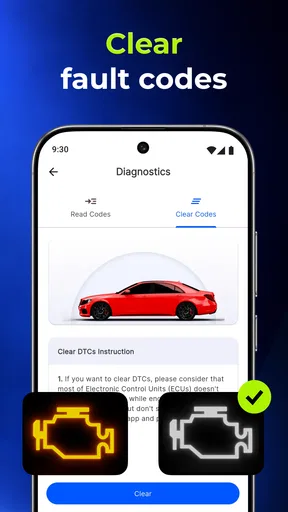
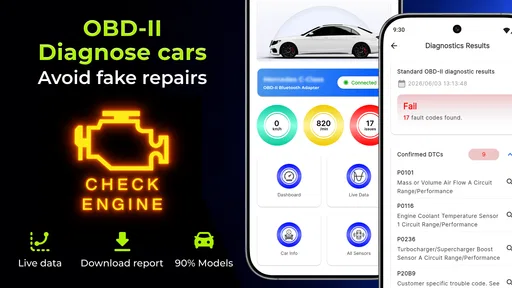
What really sets this app apart is its ability to read and clear diagnostic trouble codes (DTCs). No more guessing games when your check engine light pops on. The app translates those mysterious codes into understandable terms, so you know exactly what’s going on under the hood.
Beyond the basics, ELM Torque offers a range of advanced features. You can track your trips, analyze your driving style, and even run performance tests. It’s like having a personal pit crew in your pocket. And if you’re into numbers, the app provides detailed statistics you can geek out over for days.
Making the readings useful
The best way to get value from live data is to choose a small set of readings for a specific reason. A new driver might keep an eye on a temperature reading to become familiar with normal behavior; someone comparing fuel use can focus on that figure over similar trips. I would avoid drawing a firm conclusion from one short drive, because route, traffic, weather, and driving style can all affect what the app displays.
There is also a practical limit to what a phone screen can tell you. If a reading looks unusual, repeat the check under comparable conditions and note whether the car has any symptoms. A recurring pattern is more useful than a single number viewed out of context, and a serious warning or unsafe behavior calls for professional help rather than extended experimenting with an app.
Real-Time Monitoring
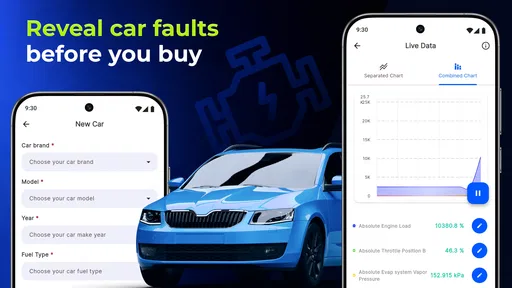
One of the coolest aspects of the app is its real-time monitoring capability. Ever wanted to see how your car performs in different conditions? Now you can monitor everything in real-time while you drive. It’s a brilliant way to identify any potential issues before they become serious problems.
The app also supports multiple vehicles, so if you’re a multi-car household, you can keep track of each one separately without any hassle.
A sensible way to use more than one vehicle profile
For a household with multiple cars, I’d treat each vehicle as its own reference point rather than comparing their readings as if they should match. Different cars can report different information, and their normal behavior will not necessarily be alike. Keeping the right profile in mind before checking a code or dashboard reading helps prevent a simple mix-up from sending you down the wrong troubleshooting path.
It can also help to keep a brief note of when a code appears and whether it returns after being cleared. That turns an occasional check into a useful history for a repair conversation. I would not clear a code just to make the dashboard look tidy; first record what the app reports, since that context may be helpful if the warning comes back.
Connectivity and Compatibility
As much as I love the app, it’s worth mentioning that compatibility with your OBD2 adapter is key. Make sure your adapter is supported; otherwise, you might run into some connectivity issues. The app’s developers do a great job at providing a list of recommended adapters, which is super helpful.
Additionally, the app is continuously updated, which means you’ll benefit from the latest features and improvements. It’s reassuring to know that the developers are actively working on making it better.
Questions worth settling before you rely on it
Does the app work on its own? No: you need an OBD2 adapter, and the connection depends on that adapter being compatible. Can it tell you exactly what repair to make? I would not rely on it for that; a code description narrows the conversation but does not establish the cause on its own. Can it be useful without much mechanical experience? Yes, provided you treat its explanations as guidance and ask for help when a problem is beyond your comfort level.
Those are important boundaries because a diagnostic app can make information feel more certain than it is. A code may point toward a system without identifying the failed component, and the same warning can call for different next steps depending on the vehicle and symptoms. For me, the best outcome is not replacing a mechanic; it is being better prepared to explain what I noticed.
Who will get the most from it
If you like understanding what your car is reporting, do occasional basic checks, or want a more informed starting point before contacting a garage, this kind of scanner can be worthwhile. It is especially useful for a driver willing to buy and pair a compatible adapter, then take time to learn what the readings mean. A curious owner can get more from it than someone who only wants a one-tap answer and never plans to look at the underlying information.
I would skip it if you have no interest in connecting extra hardware, expect an app to diagnose and fix faults automatically, or need a professional-grade assessment for a serious problem. Someone who only wants scheduled service reminders may also find a maintenance-focused alternative simpler. The app is free to install, rated for Everyone, and has a 4.4 average from around 5,800 ratings; in-app purchases range from about a dollar to around a hundred dollars per item. It has reached over 500,000 installs, and version 2.1.0 is listed for devices running OS 8.0 or later.
Why You Should Consider It
If you’re a DIY kind of person who loves to tinker with cars, the OBD2 Car Scanner - ELM Torque app is a solid choice. It’s a tool that empowers car owners by providing them with the information they need to make informed decisions about their vehicle’s maintenance.
Whether you're troubleshooting a problem or just curious about your car's performance metrics, this app has you covered. Plus, it's a great way to save money by potentially avoiding unnecessary trips to the mechanic.
So, if you’re looking to get more in tune with your ride, give OBD2 Car Scanner - ELM Torque a spin. It’s like having a mini auto shop in your pocket, ready to help you tackle whatever the road throws your way.
Ready to take control of your car's diagnostics? Download the app today and start your journey to becoming a car whisperer!
Pros
- User-friendly interface for easy navigation.
- Compatible with a wide range of vehicles.
- Real-time data monitoring for quick diagnostics.
- Customizable dashboard to suit user preferences.
- Supports multiple languages for global users.
Cons
- Requires a separate OBD2 adapter to function.
- Limited advanced features in the free version.
- May experience connectivity issues with some devices.
- Interface can be overwhelming for beginners.
- Battery drain if left running in the background.
FAQs for OBD2 Car Scanner - ELM Torque
What features does the OBD2 Car Scanner - ELM Torque offer?
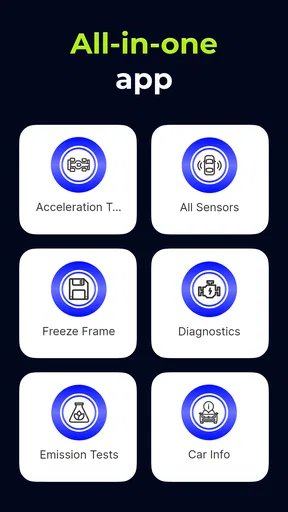
The OBD2 Car Scanner - ELM Torque provides real-time data on your vehicle’s performance, including engine diagnostics, fuel consumption, and sensor readings. It supports customizable dashboards, fault code reading and clearing, and various data logging options. The app is compatible with most OBD2 Bluetooth adapters, delivering comprehensive insights into your car's health.
Is the OBD2 Car Scanner - ELM Torque compatible with my vehicle?
The app is compatible with any vehicle that supports OBD2 protocols, typically those manufactured after 1996 in the U.S. and post-2001 in Europe. Check your car's manual or look for an OBD2 port under the dashboard to confirm compatibility. It's advisable to verify your vehicle’s specific requirements before purchasing an adapter.
Do I need additional hardware to use the OBD2 Car Scanner - ELM Torque?
Yes, to use the OBD2 Car Scanner - ELM Torque, you'll need an OBD2 Bluetooth adapter. This device plugs into your car’s OBD2 port, allowing the app to communicate with your vehicle’s computer systems. Several compatible adapters are available, so ensure you choose one that works well with your smartphone's operating system.
How user-friendly is the OBD2 Car Scanner - ELM Torque for beginners?
The OBD2 Car Scanner - ELM Torque is designed with an intuitive interface, making it accessible for users of all experience levels. It offers clear instructions and customizable options to help beginners navigate through its features effortlessly. However, understanding vehicle diagnostics may require some basic automotive knowledge.
Are there any in-app purchases or subscriptions required?
While the OBD2 Car Scanner - ELM Torque app can be downloaded for free, certain advanced features may require in-app purchases or a subscription. These additional features often include enhanced diagnostic tools, extended data logging capabilities, and more detailed vehicle reports. Review the app’s pricing details to determine which options best meet your needs.


